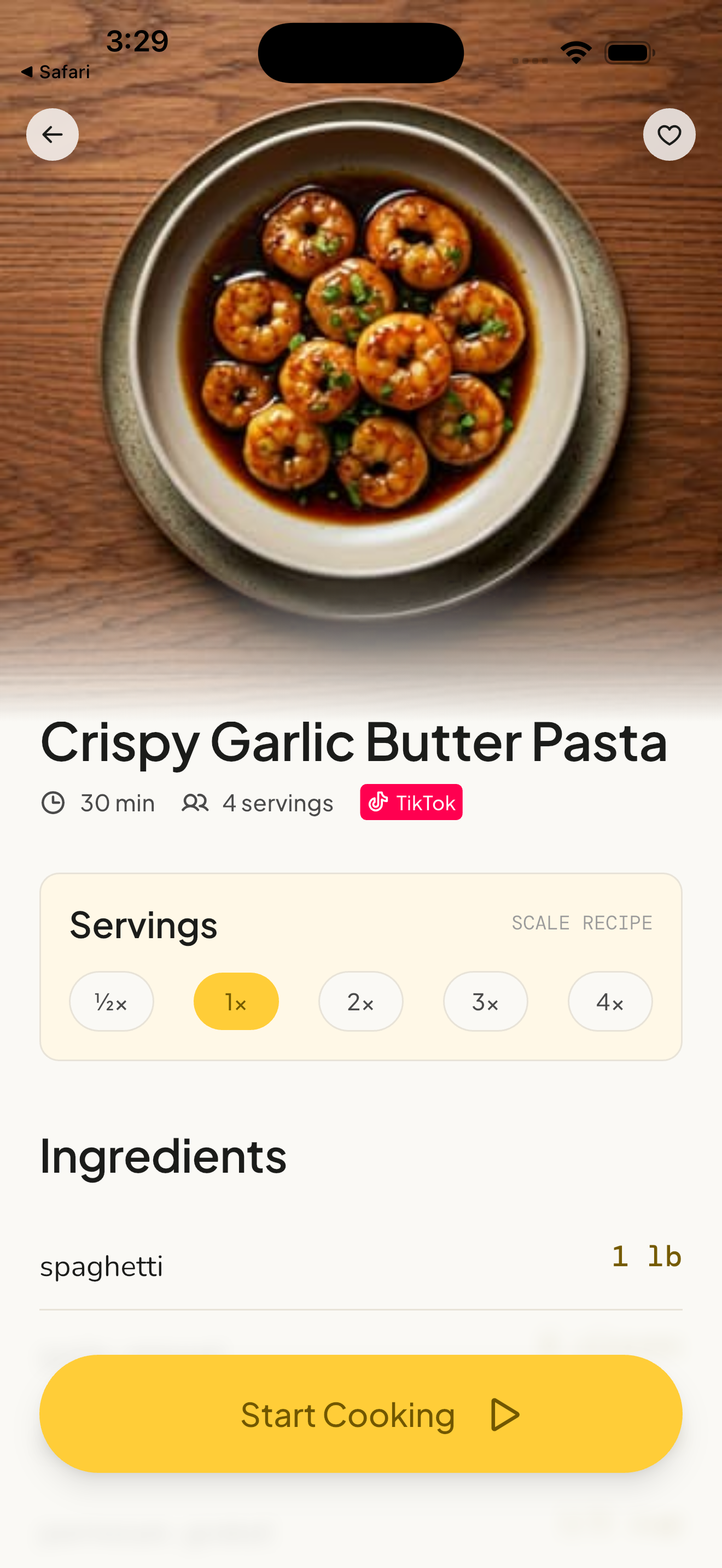
The Best TikTok Recipe Saver in 2026
The best TikTok recipe saver is one that extracts structured ingredients and steps from the video itself, not one that saves the video. If you only want to bookmark clips to browse later, TikTok's own favorites folder already does that. If you want to cook without pausing a video with messy hands, you need extraction. This page compares the three kinds of tool on the market and what separates them. If you already know which one you want and just need the steps, see how to save a recipe from TikTok.
What is a TikTok recipe saver?
A TikTok recipe saver is an app that reads a short-form video's spoken audio, on-screen text, and caption, then writes a structured recipe card with ingredients, steps, cooking time, and servings. The distinction that matters is whether the tool reads the video or only stores a link to it. If an app requires you to type the ingredients yourself after watching, it is a notepad with a URL attached, not an extractor.
Why do bookmarking apps fail in the kitchen?
Saving the MP4 to your camera roll, or dropping the link in a favorites folder, keeps the entertainment cut. Short-form video is edited for engagement, not for kitchen execution.
A 45-second recipe video often shows a measurement for a fraction of a second. You play, pause, and rewind with wet hands to check whether the line was one teaspoon or one tablespoon of paprika. Native apps also follow the phone's normal screen timeout, so the display goes dark on the step you needed. A bookmark does not fix either problem, because the thing it saved is still a video.
There is a second cost that only shows up later. A favorites folder does not belong to you. Creators delete videos, accounts get suspended, and licensed audio gets stripped. When the post goes, the saved idea goes with it.
How does recipe extraction actually work?
The method depends entirely on where the recipe lives, which is why tools that look similar behave very differently:
- Food blogs: A schema.org JSON-LD parser reads the ingredients and steps already labelled in the page's code. This path needs no language model at all, which is why it is usually unmetered and instant.
- YouTube: Auto-captions plus a text model turn the spoken walkthrough into steps. The frames are not what get read.
- TikTok, Instagram, Pinterest, and Facebook: The recipe is split across spoken audio, on-screen text, and the caption. Reading it takes multimodal extraction that processes all three together.
This is the single most useful thing to check before you pay for anything. An importer built only on JSON-LD works perfectly on a food blog and fails completely when handed a TikTok URL. Plenty of well-reviewed recipe managers are in exactly that category.
How do the options compare?
| Decision criteria | Basic bookmarking apps | Text-based importers | Multimodal extractors |
|---|---|---|---|
| Data capture | Saves a URL only | Extracts text from blogs (JSON-LD) | Extracts from blogs, YouTube, and short-form social video |
| TikTok URL | Stores the link | Fails, or returns a title only | Reads audio, on-screen text, and caption |
| Kitchen interface | Standard scrolling | Static text | Voice-navigated steps, screen wake-lock, built-in timers |
| Ingredient scaling | None | Manual editing | Fractional conversions from ½× to 4× |
| Grocery list | None | Copy and paste | One list from the saved ingredients |
| If the post is deleted | The saved item breaks | Not applicable | The recipe card stays yours |
What should you look for in 2026?
Four things separate a tool you keep from one you abandon after a weekend:
- Multimodal extraction, not caption scraping. Creators routinely leave the caption as hashtags, or write "recipe in comments". If the tool only reads text, an empty caption returns nothing you can cook.
- A free allowance that resets. Some cookbook apps allow a fixed number of imports for the life of the account, then stop. A weekly allowance lets you actually test the workflow against your own cooking.
- Editable output. Extraction from video is an estimate. If you cannot change an ingredient or fix a step before saving, you inherit every mistake.
- Export. If the cookbook cannot leave the app, the app owns your recipes. JSON for another tool, PDF for a printed copy.
Where Qwikdish fits
Qwikdish applies the right method to the link you give it. Food blogs go through the JSON-LD path, which does not spend an AI import. YouTube uses auto-captions plus a text model. TikTok, Instagram, Pinterest, and Facebook go through multimodal extraction that reads the audio, the on-screen text, and the caption together. If another cook has already extracted that exact TikTok, a shared URL-keyed cache can return the card immediately.
Saved recipes live on the phone first (SQLite, synced in the background), with full-text search, custom tags, and grid or list views, on iPhone, iPad, and Android. Calories, protein, carbs, and fat on a card are estimated from the ingredient list, not measured in a lab, and are not a diet tracker.
The free tier includes 5 AI social-video imports every week, resetting Monday, plus unmetered food-blog imports and a 20-recipe library. Editing a recipe you already saved does not spend another import. Plus is $39.99 a year or $5.99 a month, and removes both the weekly limit and the 20-recipe cap while adding ingredient scaling from ½× to 4×, a grocery list built from those ingredients, voice-guided cooking (in beta), and cookbook export as JSON or PDF.
What mistakes do people make when choosing one?
Judging an app by its blog imports
Almost every recipe manager handles a food blog well, because JSON-LD does the work. That tells you nothing about whether it can read a TikTok. Test it with a social video link before you decide.
Accepting a lifetime import cap
A fixed lifetime allowance runs out exactly when the app has become useful. A free tier that resets weekly is the more honest way to evaluate whether extraction fits how you cook.
Treating estimated nutrition as measured
Nutrition derived from an extracted ingredient list is an approximation of an approximation. It is useful for a rough comparison between recipes and not for anything that matters medically.
Frequently Asked Questions
What is the best way to save a recipe from TikTok?
Share the video to an app that reads it rather than stores it. The steps are in how to save a recipe from TikTok, which includes a 1 minute 43 second walkthrough.
Do TikTok recipe savers work if the caption is empty?
A multimodal extractor does, because it reads the spoken audio and the on-screen text as well as the caption. A caption scraper does not. This is the clearest dividing line between the tools.
How much do TikTok recipe savers cost?
Many recipe managers charge a subscription, or a separate per-platform licence, before you can save anything. Qwikdish meters free AI extraction by the week: 5 social-video imports per week resetting Monday, with food-blog imports unmetered and a 20-recipe free library. Plus is $39.99 a year or $5.99 a month.
Can I move my recipes to another app later?
Look for export before you commit. Qwikdish exports the cookbook as JSON, which other structured tools can import, and as PDF for a printed copy.
Does extraction work offline?
No. Reading the video needs a network connection. Once a recipe is saved, it is read from local storage, so you can search and cook with no signal.
What about other platforms?
The same comparison applies to an Instagram Reel and a Facebook video, which hide measurements in audio and on-screen text the same way.