How to Save a Recipe From a YouTube Video (2026)
To save a recipe from a YouTube video, share it to Qwikdish. It reads the video's captions, title, and description, then writes out the ingredients, steps, cooking time, servings, estimated nutrition, and more. Saving the video in YouTube only keeps a bookmark, not a recipe you can cook from.
What does the walkthrough cover?
The video is six short chapters. Each link opens that moment on YouTube.
- 0:00 The answer
- 0:20 Why YouTube videos are hard to cook from
- 0:39 Step 1: Share it
- 0:56 Step 2: Let it read
- 1:08 Step 3: Make it yours
- 1:20 Cook from it
How do you save a recipe from a YouTube video?
To save a recipe from a YouTube video, share it to Qwikdish. It reads the video's captions, title, and description, then writes out the ingredients, steps, cooking time, servings, estimated nutrition, and more. It takes three steps. Share the video. Let Qwikdish read it. Make it yours, then save it. Most YouTube cooking videos are made to be watched, not cooked from. The recipe is spread across a long video, the quantities are tucked away in the description, and you end up scrubbing back with messy hands. Qwikdish turns that video into a recipe you can actually cook from. You do not have to wait on the processing screen. It lets you know when the recipe is ready. After you tap Save to cookbook, the card stays yours even if the video is deleted later. The same share works on iPhone, iPad, and Android, for Shorts and for longer videos.
Step 1: Share it
Open the video on YouTube and tap Share. YouTube shows its own share panel first, so tap More at the end of the row, then pick Qwikdish from the share sheet. Add it to your favorites there, so it is one tap next time.
If you would rather not use the share sheet, copy the video link, open Qwikdish, and paste it. youtube.com and youtu.be links both work.
Step 2: Let it read
Qwikdish reads the captions and description, finds the ingredients, and formats the instructions. Cooking time, servings, and an estimated nutrition summary come from that same text. Nutrition on the card is estimated from the ingredient list. It is not a lab measurement. You do not have to wait on this screen. It lets you know when the recipe is ready to review.
Step 3: Make it yours
Make it yours before you save. Swap an ingredient, change a step, or add your own notes later. Tap Save to cookbook, and it stays yours even if the video is deleted later.
Why are YouTube cooking videos hard to cook from?
Most YouTube cooking videos are made to be watched, not cooked from. Three things get in the way:
- The recipe is spread across the video. A 12-minute vlog can hide one measurement at 2:14 and the oven temperature at 8:40.
- The quantities are tucked in the description. Many creators type the ingredients under the fold, below links, timestamps, and affiliate copy.
- A saved video is still a video. Watch Later and the Save button keep a bookmark. You still scrub back with messy hands, and the bookmark breaks if the creator unlists the video.
A recipe card fixes all three: the amounts are written down, the steps are in order, and the card is yours.
How is YouTube import different from TikTok or Instagram?
YouTube import reads text: auto-captions, the title, and the description. TikTok, Instagram Reels, Facebook, and Pinterest video imports also read spoken audio and on-screen text overlays, because those recipes often never appear as captions.
That is why a blog-only scraper can look fine on a linked recipe site in the description and still fail on a YouTube URL with no blog. If the measurements were spoken or typed into the description, Qwikdish can structure them. If the video never gives amounts at all, the card can only be as complete as the video.
What do you get on the saved recipe card?
Each saved recipe has:
- An ingredient list with amounts split from names, so it can be scaled.
- Numbered steps, with timers on any step that mentions a duration.
- Cooking time and servings.
- An estimated calorie, protein, carb, and fat summary, worked out from the ingredients.
- The source, so you can always open the original video.
Recipes are stored on your phone first and sync in the background, so a saved recipe opens even when the kitchen has a weak signal.
How is this different from saving the video on YouTube?
| YouTube Save / Watch Later | Qwikdish recipe card | |
|---|---|---|
| What is kept | A link to the video | The ingredients, steps, time, servings, and nutrition |
| If the video is deleted | The saved item stops working | The recipe stays in your cookbook |
| Cooking | Pause and rewind the video | Step-by-step cook mode with timers |
| Finding it later | Scroll a mixed list of saved videos | Search your cookbook by recipe or ingredient |
| Editing | Not possible | Change any ingredient or step |
How do you cook from the saved recipe?
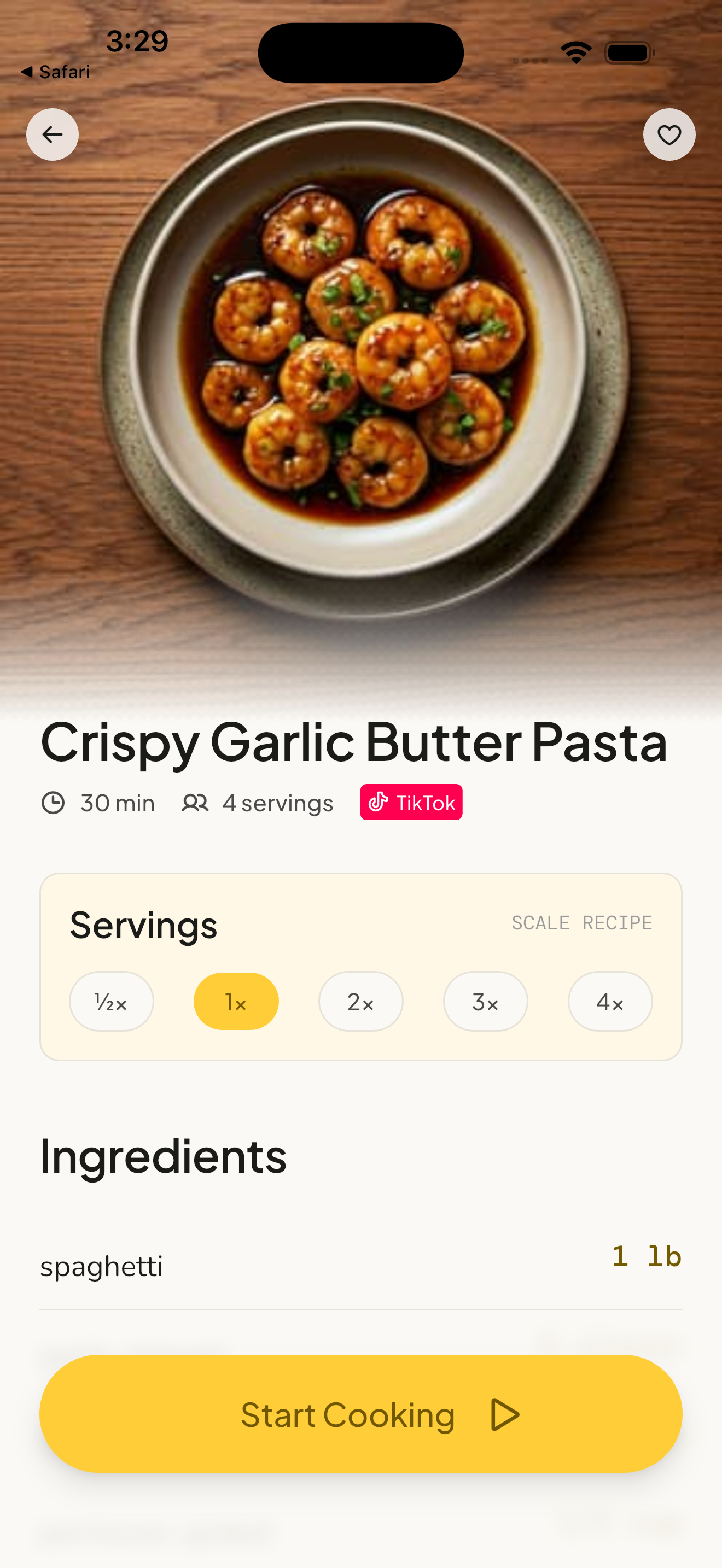
When it is time to cook, tap Start Cooking. Every step is big and easy to follow. Timers start with one tap, and the screen stays on. You can peek at the ingredients at any time. Voice control (in beta, part of Qwikdish Plus) lets you move through the steps without touching the phone. That is the last chapter of the walkthrough, starting at 1:20.
Frequently Asked Questions
How do I save a recipe from a YouTube video?
Open the video, tap Share, tap More, and choose Qwikdish (or paste the link in the app). Qwikdish reads the captions, title, and description, then writes a recipe card with ingredients, steps, cooking time, and servings. You do not retype the recipe. The 1 minute 45 second walkthrough on this page shows the same three steps.
Does it work for YouTube Shorts as well as long videos?
Yes. Shorts and regular videos use the same Share path. Qwikdish reads the captions and description in both cases.
What if the recipe is only in the video description?
That is the usual YouTube case, and it is the text Qwikdish reads. If the description is empty and the captions never mention amounts, paste any comment or pinned recipe into Qwikdish as text.
Can I turn the saved recipe into a grocery list?
Yes, on Plus. Import the video first, then build one grocery list from the ingredients and scale the yield before you shop. See YouTube cooking video to grocery list.
Which YouTube recipe extractor should I use?
If you are still deciding between tools, the best YouTube recipe extractor apps in 2026 compares caption-based importers with blog-only scrapers.
Does it work for other platforms?
Yes. The same share flow saves recipes from TikTok, an Instagram Reel, and a Facebook video, and from any food blog in one tap.